
- Your cart is empty
- Continue Shopping

Computers
Desktop vs Laptop: Which Should You Buy in Kenya for Work, School, or Gaming (2026)?
-
By cityzen
- Posted on
- 0 comments
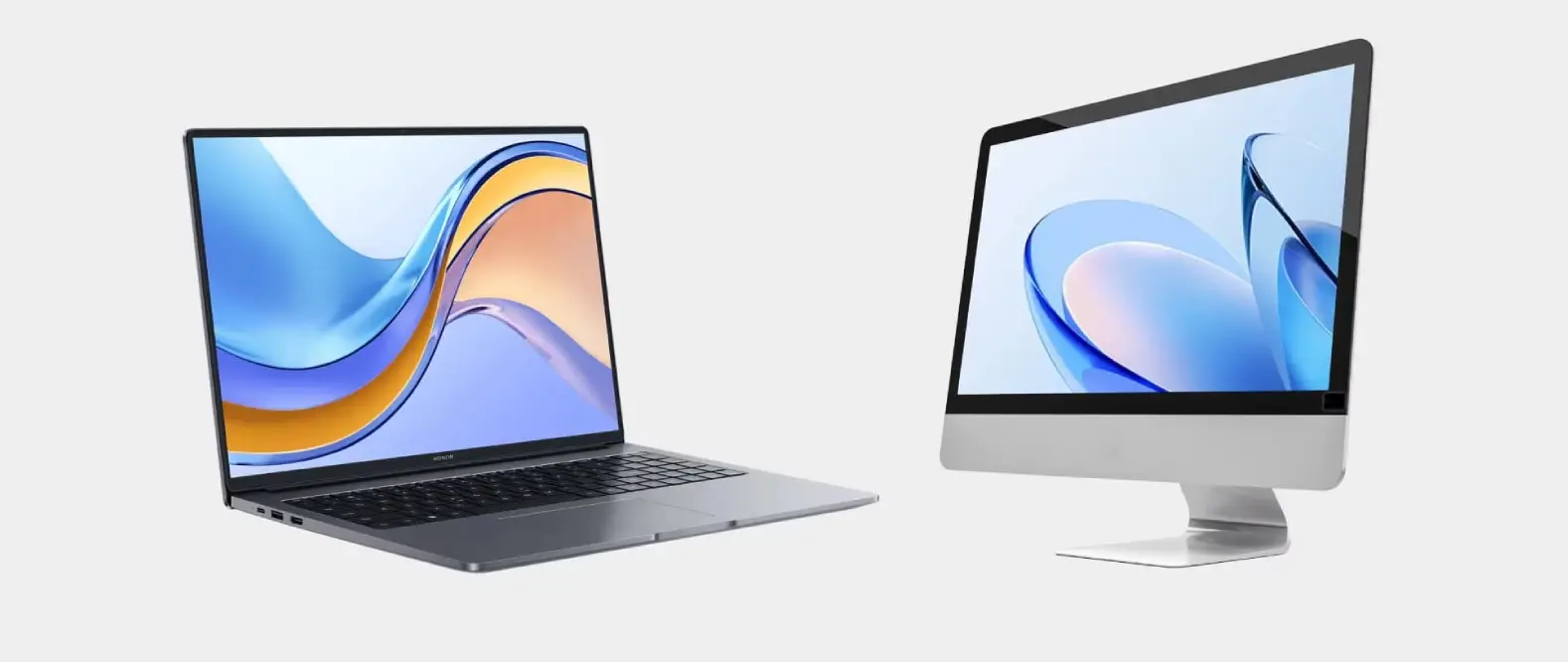
Every week at City Tech, someone asks for “a computer” but is unsure whether they need a desktop or a laptop. It is a fair question, because both browse the web, run Office and play some games. However, for your budget and daily life, one is almost always the smarter buy. So this desktop vs laptop guide helps you decide.
Start with how you will use it
Before looking at specs, be honest about your needs:
- Office work, browsing and school: first, either option works well.
- Gaming or video editing: then, a desktop gives far more power per shilling.
- Moving between home, office and campus: also, a laptop is essential.
- Frequent power cuts: finally, a laptop’s battery becomes a real advantage.
Desktops: best value for raw power
For the same budget, a desktop usually outperforms a laptop. This is because desktop parts run cooler and are not squeezed into a thin body. In addition, desktops are easier to upgrade.
- First, you get more RAM and storage for less money.
- Then, you can add RAM, an SSD or a better graphics card later.
- Also, better cooling keeps performance high during long tasks.
However, a desktop stays in one place. It also needs a UPS during power cuts.
Laptops: best for flexibility
A laptop trades some performance for portability. As a result, you can work from home, the office or a co-working space. Its battery also keeps you working during load-shedding.
- First, you can work anywhere.
- Then, the battery covers power cuts automatically.
- Also, the screen, keyboard, webcam and speakers are built in.
On the other hand, laptops are harder to upgrade. Gaming and creative laptops also cost more than similar desktops.
Desktop vs laptop: side by side
| Factor | Desktop | Laptop |
|---|---|---|
| Performance per shilling | Higher | Lower |
| Upgrades | Easy, so it lasts longer | Limited |
| Portability | None | Full |
| Battery backup | No, so add a UPS | Yes |
| Repairs | Usually cheaper | Often pricier |
Power cuts and load-shedding
Many buyers overlook this. A desktop without a UPS shuts down instantly during a power cut, so you may lose unsaved work. Therefore, budget for a basic UPS if you choose a desktop. By contrast, a laptop’s battery takes over automatically.
Storage and upgrades
Most new computers use SSD storage, which makes them much faster than older hard drives. Also, desktops let you add a second drive later. However, laptops have less room to expand, so buy a little more storage than you think you need.
Our recommendation by user
- Students: first, choose a laptop for moving between home and campus.
- Office and remote workers: then, choose a laptop if you move around, or a desktop for a fixed desk.
- Gamers: also choose a desktop, because it gives the most performance and easy upgrades.
- Video editors and designers: finally, a desktop or workstation offers the best value, unless you travel often.
Where to buy computers in Kenya
At City Tech, we stock genuine desktops, workstations, all-in-ones and MacBooks with warranty. So browse our computers collection to compare current stock and prices.
FAQs
Is a desktop always cheaper than a laptop?
For similar performance, yes. Desktops do not need miniaturised parts, so you get more power per shilling.
Can a laptop replace a desktop?
Yes, for most people. In fact, you can also connect a laptop to a monitor, keyboard and mouse at your desk.
Which lasts longer?
A desktop usually lasts longer, because you can upgrade its parts over time.
Shop the products in this guide
Ready to buy? Here are popular options from our store. Every unit is genuine and also comes with a warranty.
- Apple MacBook Air M5 13″ 512+16 from KSh 188,000
- Apple 27″ iMac with Retina 5K Display (Late 2015) from KSh 75,000
- Apple MacBook Pro M5 14.2″ 16+1TB from KSh 269,500
- Apple MacBook Neo 13 512+8GB from KSh 107,500
For more help, also read MacBook vs Windows Laptops for Kenyan Creatives: Which Should You Buy? and Best Laptop For Students in Kenya 2026: Performance vs Budget.
Still not sure which to pick? Then chat with us on WhatsApp and we will help you choose.

 Samsung Galaxy S24 Ultra - 512GB
KSh 129,000
 Google Pixel 8 Pro - 256GB
KSh 130,000