
- Your cart is empty
- Continue Shopping

Starlink
Starlink Standard (Gen 3) Deep-Dive: Is the Upgraded Router Worth the Swap?
-
By cityzen
- Posted on
- 0 comments
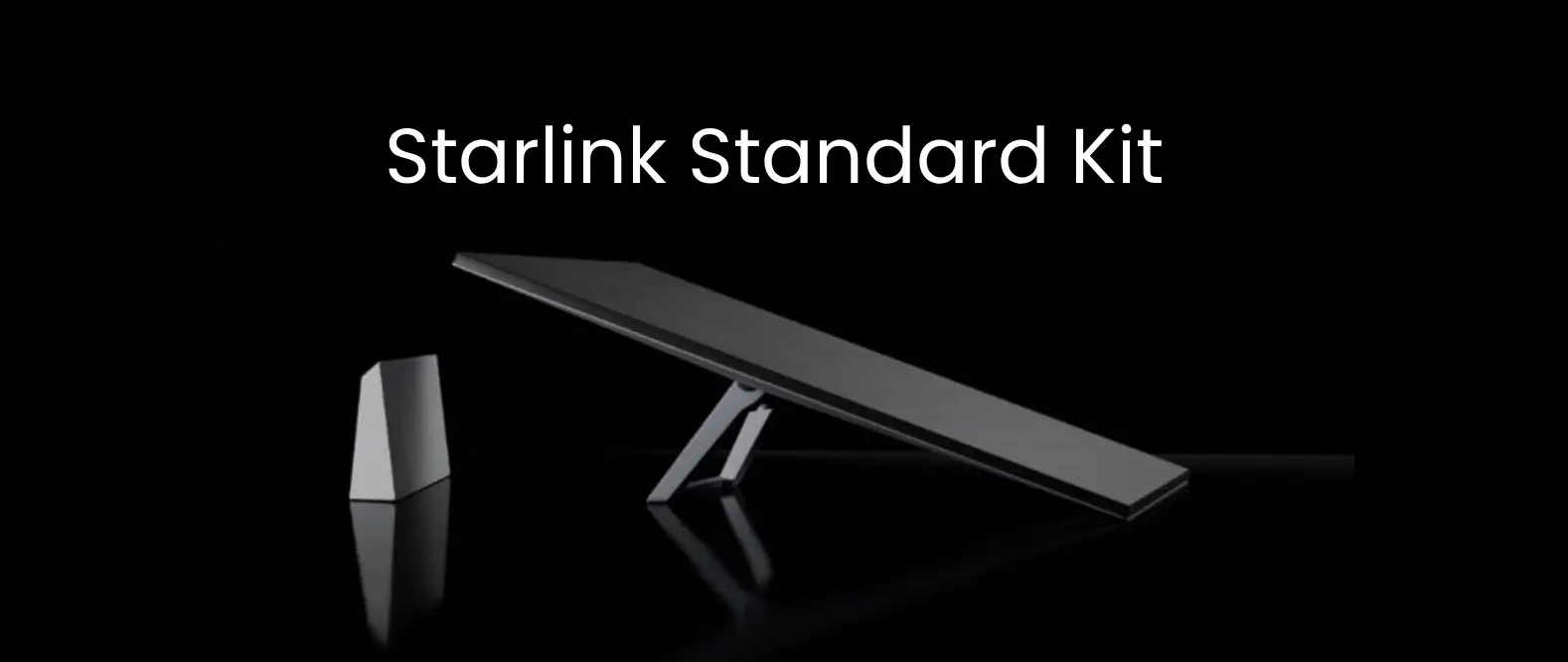
Starlink’s Standard Gen 3 Kit has quietly gone through a meaningful hardware refresh, and the newer Gen 3 router is the headline change. If you’re running an older Starlink setup — or comparing kits before your first purchase — the question is simple: does the new router justify the swap? Let’s dig into what actually changed.
What’s Actually New in the Gen 3 Router
The Gen 3 Standard Kit brings a rebuilt router alongside the familiar rectangular dish design. The key upgrades center on Wi-Fi standard, coverage, and simultaneous device handling:
- Wi-Fi 6 support, up from the older Wi-Fi generation on earlier kits — faster local network speeds and better performance with many devices connected at once
- Improved antenna design for stronger, more even Wi-Fi coverage across a home
- Better simultaneous device handling — noticeably steadier performance when multiple people are streaming, gaming, or on video calls at the same time
- Ethernet port built into the router on most configurations, useful for a wired connection to a desktop, smart TV, or office switch

Dish Performance: What Hasn’t Changed Much
The satellite dish itself — the part actually talking to Starlink’s satellites — delivers broadly similar peak speeds to the previous generation, since Starlink’s network-side upgrades affect all compatible dishes over time regardless of router generation. In other words, the biggest jump with Gen 3 is in your home Wi-Fi experience, not necessarily your raw internet speed from the satellite itself.
Real-World Impact: Who Actually Notices the Difference?
- Households with many connected devices (phones, laptops, smart TVs, security cameras) will feel the Gen 3 router’s improved handling most clearly
- Larger homes benefit from the improved antenna range, potentially reducing dead spots in far rooms
- Single-user or light-usage setups — one or two devices, mostly browsing and streaming — may not notice a dramatic difference day-to-day
- Gamers and remote workers on video calls benefit from steadier performance under simultaneous load
Should You Upgrade From an Older Kit?
If your current Starlink setup is working fine for light use, the upgrade isn’t urgent. But it’s worth considering if you regularly experience:
- Wi-Fi dropping or slowing down when several devices are active at once
- Weak signal in rooms further from where the router sits
- A growing number of smart home devices (cameras, smart plugs, smart TVs) straining your existing network
If none of these sound familiar, your existing kit is likely doing its job well, and the swap may not be worth the cost right now.
Setup & Compatibility
Gen 3 kits are sold as complete new units (dish and router together) rather than a router-only upgrade for older dishes, so switching means installing the full new kit rather than simply swapping a component. This is worth factoring into your decision — it’s a full kit purchase, not a small add-on. See how to set up the router.
Price in Kenya
The Gen 3 Standard Kit typically retails at KES 65,000 – 85,000 in Kenya, in the same general range as the previous generation, with pricing varying slightly based on stock and current promotions. Ongoing data plans are billed separately and depend on the package you choose.
Our Recommendation
Upgrade now if: you’re buying your first Starlink kit — there’s no reason to choose an older generation when Gen 3 is the current standard at a similar price.
Upgrade if you already own Starlink and: your home has many connected devices, weak Wi-Fi in far rooms, or you’ve simply outgrown your original setup.
Hold off if: your current kit already handles your household’s usage comfortably — the dish-side speed gains alone may not justify the cost of a full kit swap.
Getting the Most Out of Your Gen 3 Setup
Even the improved Gen 3 antenna benefits from a clear, unobstructed view of the sky and a stable, professionally secured mount. At City Tech, our installation team handles mounting, cable routing, and network configuration so your setup performs at its best from day one, rather than compromising on placement to save on installation.
Where to Buy the Starlink Standard Gen 3 Kit in Kenya
At City Tech, we stock the genuine Starlink Standard (Gen 3) Kit with professional installation available. Browse our full Starlink collection → or reach out and we’ll help you decide whether an upgrade makes sense for your home or office.
FAQ: Quick Answers
Q: Does the Gen 3 router make my internet faster?
It mainly improves your home Wi-Fi performance — coverage and simultaneous device handling — rather than the raw speed coming in from the satellite itself.
Q: Can I just buy the new router without a new dish?
No, Gen 3 is sold as a complete kit, so upgrading means installing the full new dish-and-router unit.
Q: Is Wi-Fi 6 a big deal for a home network?
Yes, especially in households with many connected devices — it handles simultaneous connections more efficiently than older Wi-Fi standards.
Q: Is the Starlink Standard Gen 3 kit worth it for a small household?
If you’re buying fresh, yes, since it’s the current standard kit. If you already have a working older kit and light usage, the upgrade is optional rather than essential.
